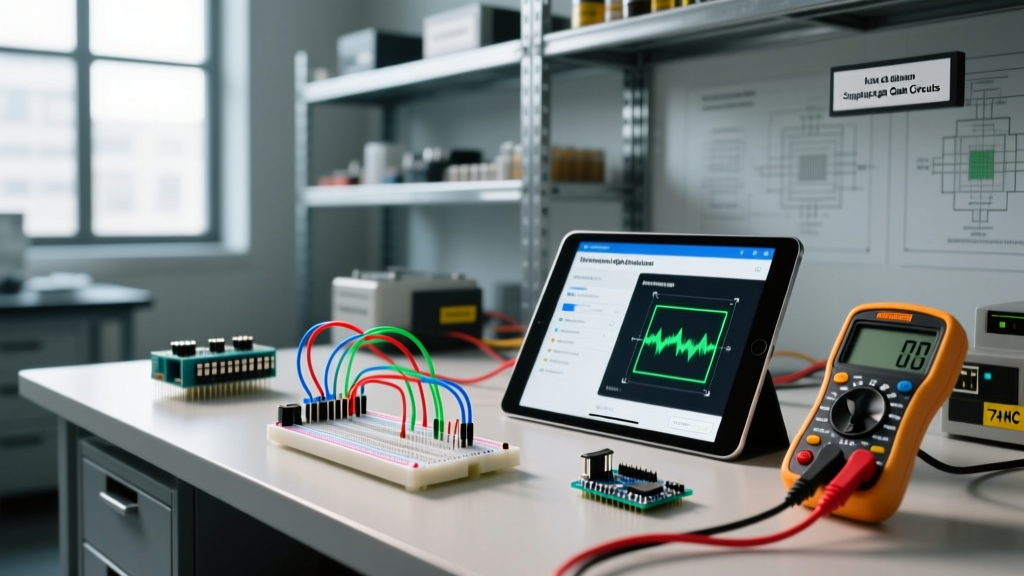
Hexadecimal is a base-16 numbering system that uses sixteen distinct symbols (0-9 and A-F) to represent values, serving as a human-readable shorthand for the binary data that microcontrollers process.
When you are writing firmware for an Arduino or ESP32, you are ultimately toggling microscopic transistors on and off. Microcontrollers only understand binary (base-2), but reading a 32-bit binary string like 00111100101011110000000011111111 is a fast track to debugging errors. Hexadecimal (base-16) bridges this gap. Because 16 is a power of 2 (2^4 = 16), exactly four binary bits (a 'nibble') map perfectly to one single hexadecimal character. This allows you to look at a two-character hex byte and instantly visualize the underlying eight-bit binary state of a hardware register.
The Core Mechanism: Base-16 vs Base-10 vs Base-2
In our everyday decimal (base-10) system, we roll over to a new digit place after 9. In binary (base-2), we roll over after 1. In hexadecimal, we count up to 15 before rolling over. Since we only have ten numeric digits (0-9), we borrow the first six letters of the alphabet (A-F) to represent 10 through 15.
| Decimal (Base-10) | Binary (Base-2) | Hexadecimal (Base-16) |
|---|---|---|
| 0 | 0000 | 0 |
| 5 | 0101 | 5 |
| 9 | 1001 | 9 |
| 10 | 1010 | A |
| 15 | 1111 | F |
| 16 | 0001 0000 | 10 |
| 255 | 1111 1111 | FF |
The critical takeaway for bench work is the 0xFF (255) boundary. An 8-bit microcontroller register maxes out at 255 in decimal, which is exactly FF in hex. When you see 0xFF in a datasheet, you immediately know every single bit in that byte is pulled HIGH.
Worked Example: Decoding an ESP32 I2C Register
Let us look at a real-world scenario: initializing an SSD1306 OLED display over I2C using an ESP32. According to the Adafruit SSD1306 guide, the default I2C address for the 128x64 display is 0x3C, and the command to turn the display on is 0xAF.
Here is how you decode those hex values into the physical binary signals the ESP32 pushes onto the SDA and SCL lines:
Decoding 0x3C (I2C Address)
- Split the hex byte into two nibbles:
3andC. - Convert the first nibble:
3in decimal is0011in binary. - Convert the second nibble:
Cis 12 in decimal, which is1100in binary. - Combine them:
00111100. This is the exact 8-bit sequence the ESP32 shifts out to address the screen.
Decoding 0xAF (Display ON Command)
- Split into
AandF. A(10 decimal) =1010.F(15 decimal) =1111.- Combine:
10101111.
If you needed to write a bitmask to check if the display is on, you would look at the lowest bit of 0xAF. Because the rightmost hex digit is F (binary 1111), you instantly know the lowest bit is a 1. If the command was 0xAE, the rightmost digit E (binary 1110) tells you the lowest bit is 0. Doing this mental math in decimal (175 vs 174) is slow and error-prone; in hex, the bit-states are visually explicit.
Where You Meet Hexadecimal in Practice
You will encounter hex constantly when moving beyond basic Arduino blink sketches into direct hardware manipulation. Here are the most common bench scenarios:
- I2C and SPI Addresses: Sensors like the MPU6050 accelerometer use
0x68. If your I2C scanner returns0x68, you know exactly which sensor is responding. - Memory-Mapped Registers: If you are writing bare-metal code for the ESP32, you will write directly to memory addresses. For example, the ESP32 Technical Reference Manual lists the GPIO output register at
0x3FF44004. Hex makes these 32-bit pointers readable. - Addressable LEDs (WS2812B): When programming NeoPixels, colors are passed as 24-bit hex values.
0xFF0000is pure red (Red=FF, Green=00, Blue=00).0x00FF00is green. It maps perfectly to the three 8-bit color channels. - MAC Addresses: Every ESP32 or Raspberry Pi has a unique hardware MAC address, formatted as six hex bytes separated by colons (e.g.,
A4:CF:12:6B:3D:0F). - Serial Debugging: When sniffing UART, MIDI, or DMX512 traffic with a logic analyzer, the payload bytes are almost universally displayed in hex to preserve the exact byte boundaries.
What Hex Changes (And Doesn't Change) in Your Circuit
It is vital to understand that hexadecimal changes absolutely nothing about the physical circuit. The silicon in your ATmega328P or ESP32-WROOM-32 does not know what base-16 is; it only sees 3.3V or 0V. Hexadecimal is purely a user-interface layer for the engineer.
However, what it does change is your ability to perform bitwise operations without introducing off-by-one errors. When you need to clear the top four bits of a register while preserving the bottom four, you use a bitwise AND with a hex mask: REG & 0x0F. Trying to calculate the equivalent decimal mask (15) or binary mask (0b00001111) on the fly during a live debugging session is a recipe for writing to the wrong hardware interrupt.
Common Confusions to Avoid
1. The '0x10' Trap: Beginners frequently assume 0x10 means ten. It does not. 0x10 in hex is 16 in decimal (1 * 16^1 + 0 * 16^0). If you are trying to set a pin to decimal 10, you must write 0x0A.
2. Hex vs. ASCII: Hex is a number base; ASCII is a character encoding. The hex value 0x41 represents the decimal number 65. In the ASCII table, 65 maps to the capital letter 'A'. If your serial monitor is set to 'ASCII' instead of 'Hex', sending 0x41 will print 'A' on your screen, which can cause massive confusion when debugging binary protocols.
Frequently Asked Questions
Why do we use 0x to start a hex number in code?
The 0x prefix is a convention inherited from the C programming language, which is the foundation of Arduino, ESP-IDF, and Raspberry Pi C/C++ development. Because 10 could mean decimal ten, binary two, or hex sixteen depending on the base, the compiler needs a strict indicator. The 0 tells the compiler 'this is a number, not a variable name', and the x specifies 'hexadecimal'. Without it, the compiler defaults to base-10.
How do I convert hex to decimal without a calculator?
For two-digit hex bytes (the most common in electronics), multiply the first digit by 16 and add the second digit. For example, to convert 0x2A: the first digit is 2 (2 * 16 = 32). The second digit is A (which is 10). Add them together: 32 + 10 = 42. For larger numbers, rely on the Windows/macOS programmer calculator or the Serial.print(val, HEX) function in your IDE rather than doing mental math on 32-bit registers.
Is hexadecimal the same as ASCII text?
No. Hexadecimal is a mathematical base used to represent raw numerical values. ASCII (American Standard Code for Information Interchange) is a specific lookup table that assigns numerical values to text characters. You can represent an ASCII character using a hex number (e.g., 0x48 is the letter 'H'), but hex itself is just math. You can have a hex value of 0x00 (Null), which has no printable ASCII character.
What happens if I send a decimal value to a hex register?
The microcontroller does not care about the format you typed in your IDE; it only receives the final compiled binary. However, if you meant to send the hex address 0x12 but accidentally typed 12 (decimal) in your C++ code, the compiler will send the binary equivalent of decimal 12, which is 0x0C. Your I2C transaction will fail because you are pinging the wrong hardware address. Always use the 0x prefix when a datasheet specifies a hex value.